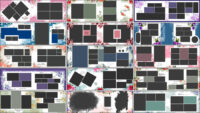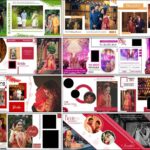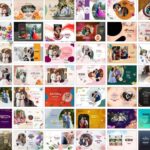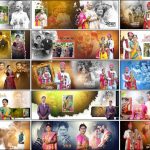
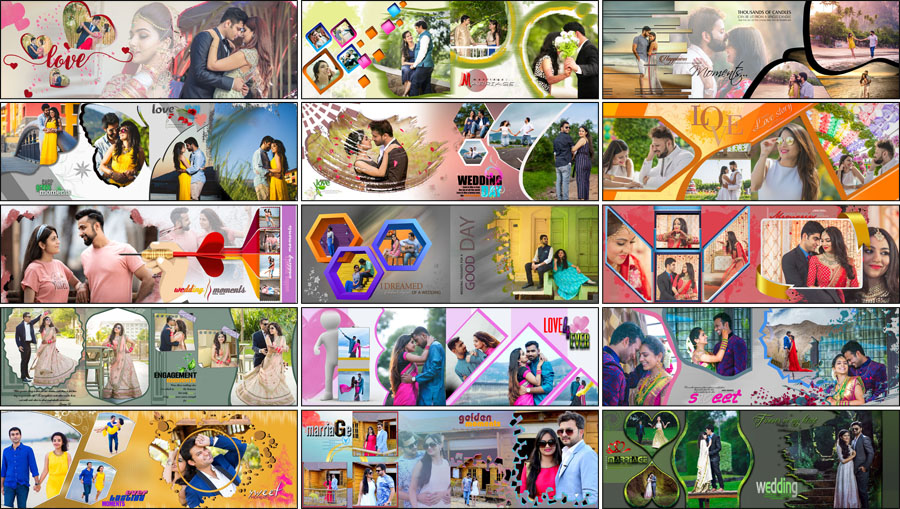
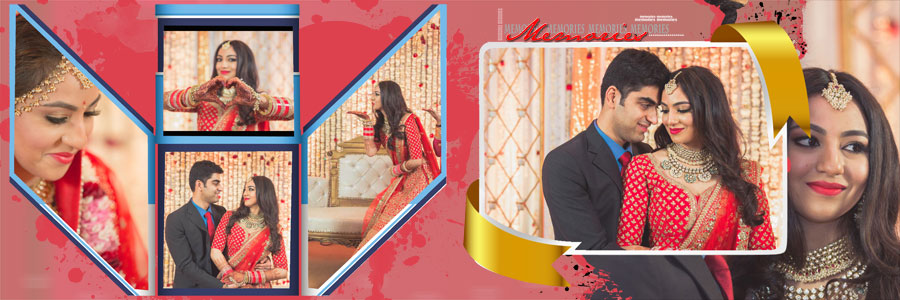
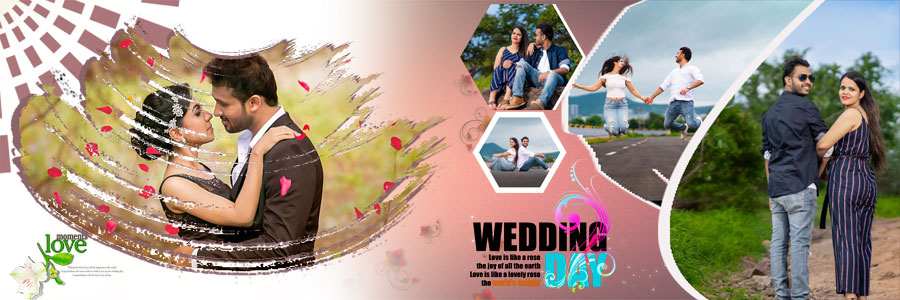
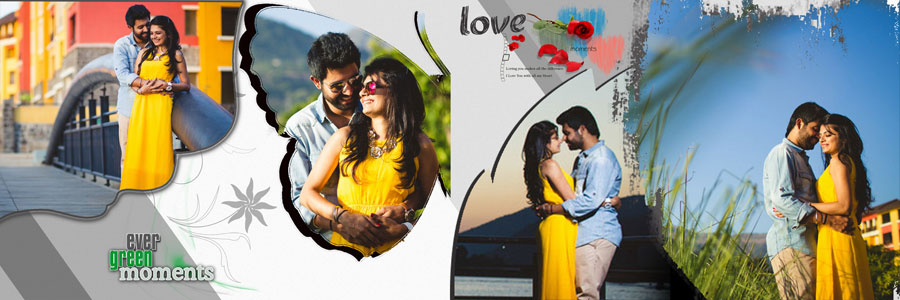
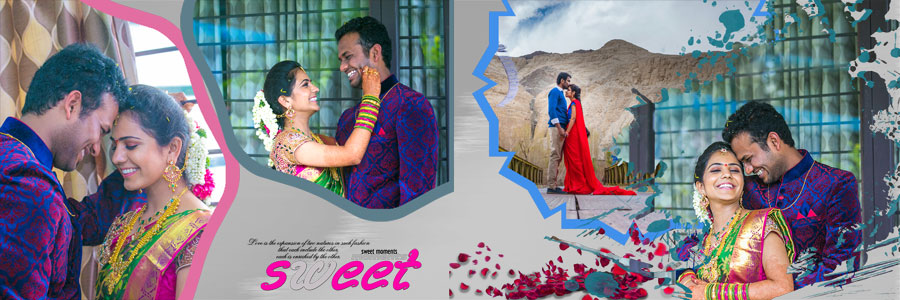
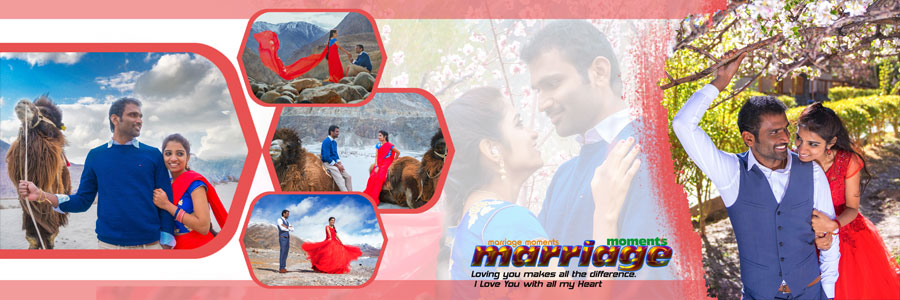
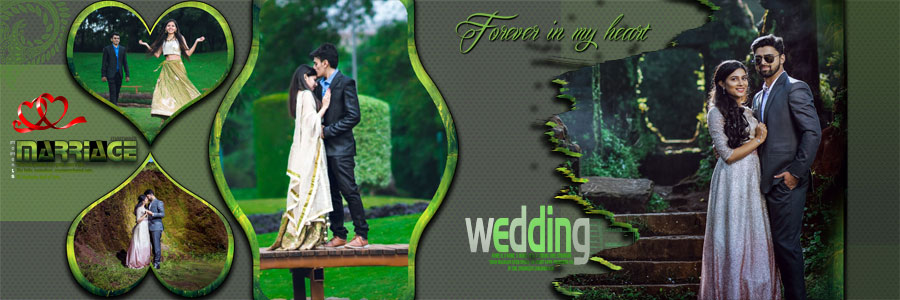
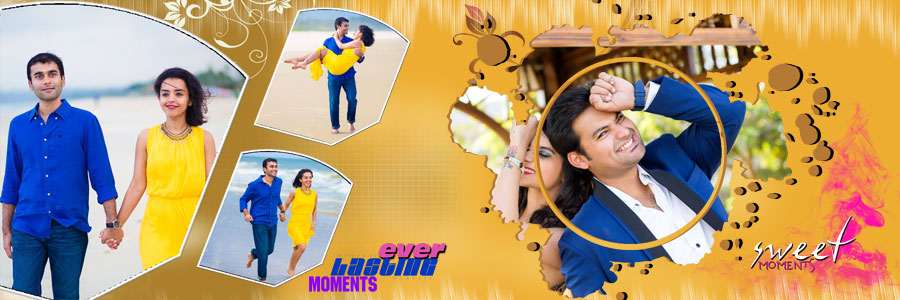
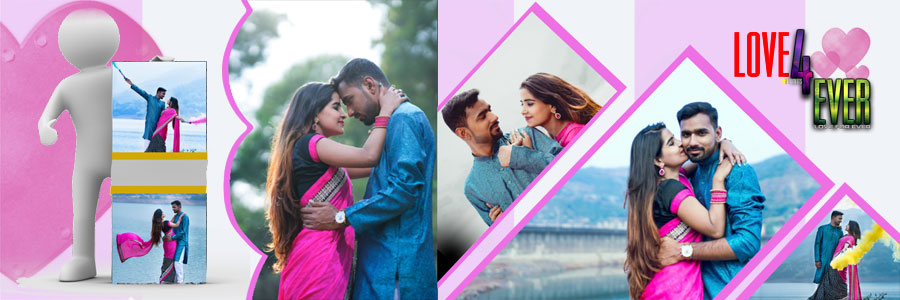
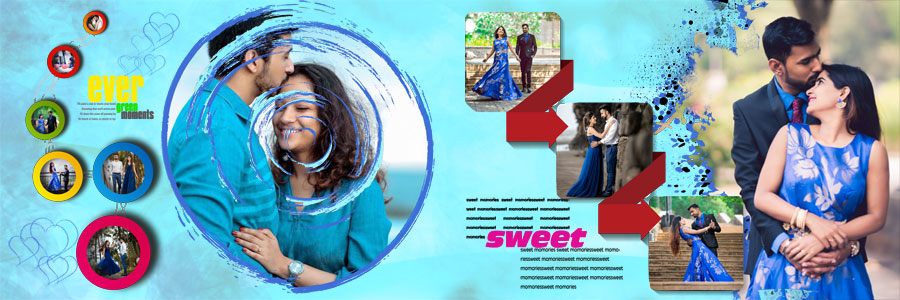
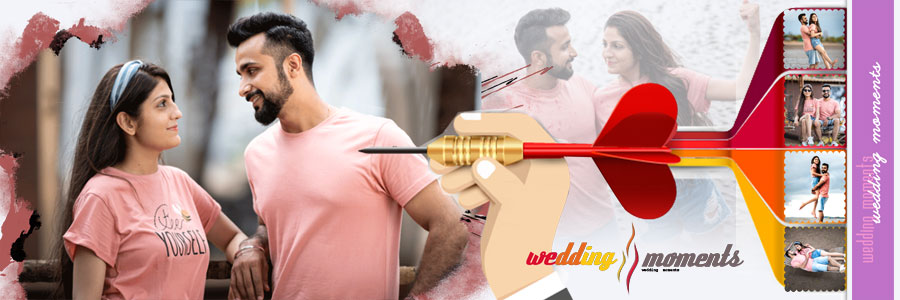
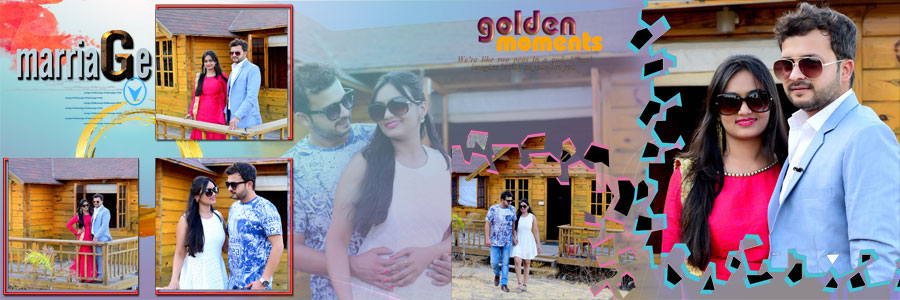
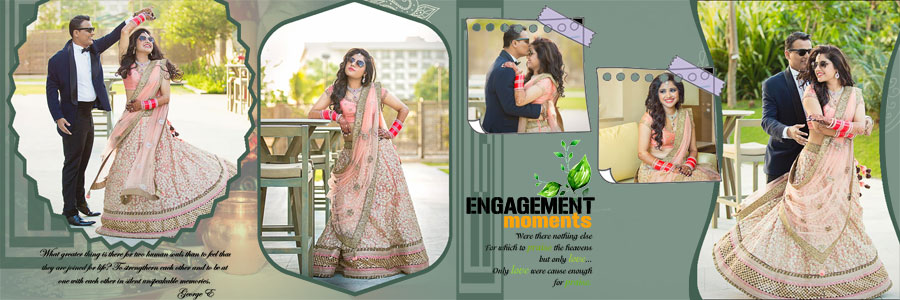
Looking for Pre-Wedding Couple Photo Album DM Designs 12×36 that you can download for free and edit in Photoshop? This pack gives you 20 ready-made DM designs for wide 12×36 album spreads, made for pre-wedding, engagement, and couple photography. The layouts use colourful backgrounds, heart-shaped and hexagon frames, diagonal photo panels, and soft cut-out edges, together with editable text such as love and wedding moments. Every file is a fully editable PSD with separate layers, so you can replace the photographs, adjust the layout, and finish a couple album without building each spread from scratch. You can find more layouts in our wedding album design PSD collection, or explore all the free PSD designs and templates available on StudioPk.
Pre-Wedding Couple Photo Album DM Designs 12×36: Pack Details
- Total designs: 20 pre-wedding couple album PSD templates
- Album size: 12×36 inches (wide spread)
- Resolution: 200 DPI (about 2400 x 7200 pixels at full size)
- Design style: Pre-wedding DM designs
- Layers: Fully editable PSD layers
- Compatibility: Adobe Photoshop CS3 to CC 2026
- File format: PSD, shared as .rar files
- Price: Free download
Who Are These Pre-Wedding Album Designs For?
These designs are made for wedding photographers, album designers, and studios that deliver pre-wedding, engagement, and couple albums regularly. If you already have a set of edited photographs, a ready-made PSD saves the time you would otherwise spend placing frames, backgrounds, and decorative elements. After downloading, you can customize each design in Adobe Photoshop without any complicated setup. If you need more page styles in the same size, browse the 12×36 album design PSD collection.
What Is Inside This Pre-Wedding DM Design Pack?
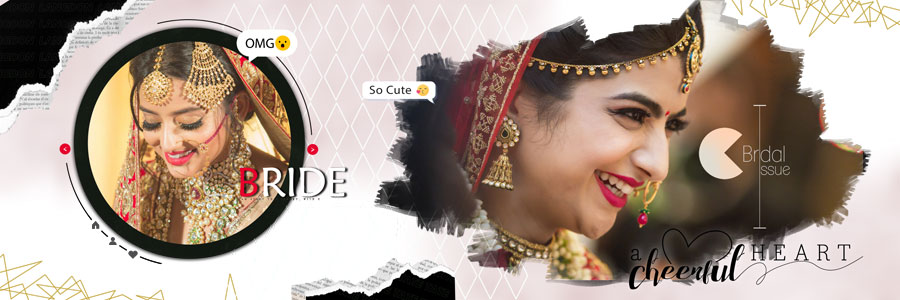
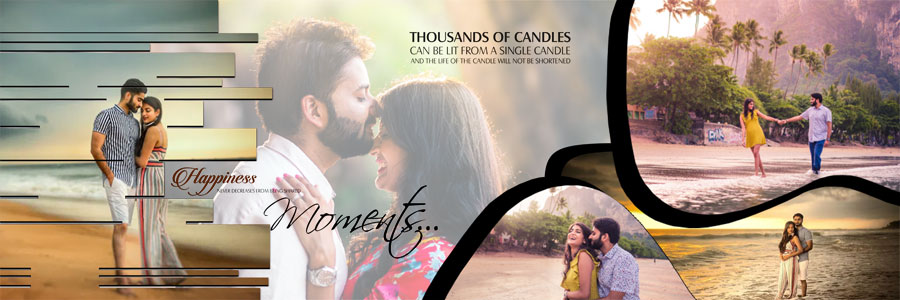
The previews show a bright, romantic style that suits outdoor couple shoots, engagement photographs, and pre-wedding sessions. Here are some of the styles you will find in this pack:
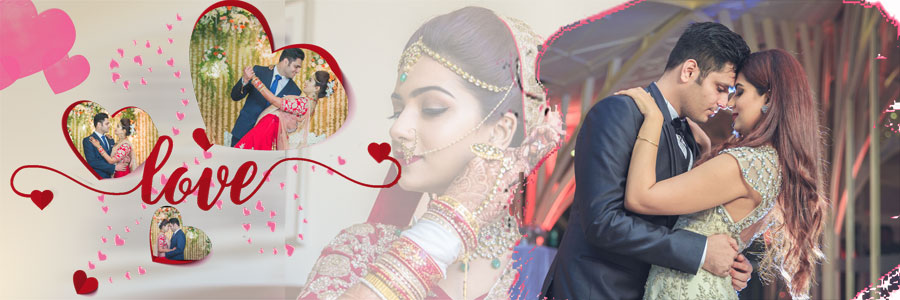
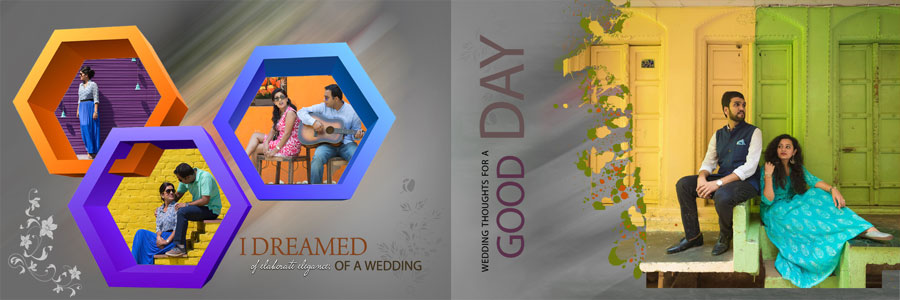
- Heart-shaped frames that give a romantic look to selected portraits.
- Hexagon and diagonal photo frames as an alternative to ordinary rectangular boxes.
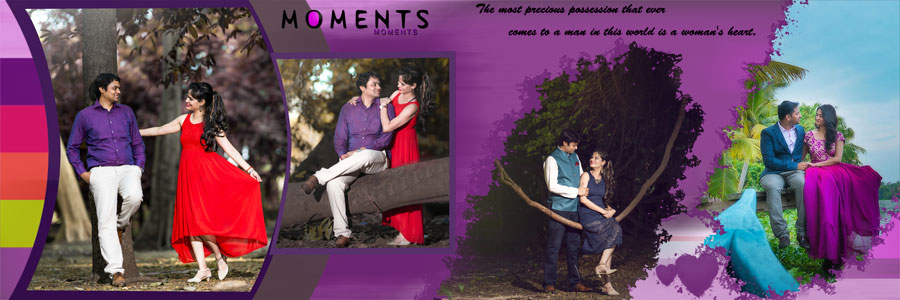
- Colourful backgrounds in orange, pink, purple, green, and yellow tones.
- Cut-out and torn-paper style edges that make large portraits look more artistic.
- Editable text elements such as love, wedding moments, and engagement moments, which you can change for your project.
Each spread keeps one main couple portrait in focus, with smaller supporting photographs placed around it.
How to Choose the Right Layout for Pre-Wedding Photos
A pre-wedding shoot usually produces many photographs from different locations, outfits, and moods, so the layout should help you tell that story instead of crowding the page. Group photographs by location or outfit, and give the strongest couple portrait the largest space. Mix wide shots with close-ups, and keep some clear space around the main portrait so the page does not feel heavy.
If you like a different style, you can also try our creative wedding album PSD 12×36 collage layouts for pages with many photographs, or the couple portrait album layouts with green, pink, purple and red themes for portrait-focused spreads.
Download Free Pre-Wedding Couple Photo Album DM Designs (20 PSD Designs)
Below, you can scroll through the previews of all 20 PSD designs. Under each preview, there is a download button for that design, so you can click the button and download your favourite PSD template for free.



How to Arrange Photos Across a 12×36 Spread
A 12×36 spread gives you a wide canvas, but too many photographs on one page make it hard to read. Select the main image first, then decide which pictures support it.
- Start with one main image: pick the strongest couple portrait and give it room to stand out.
- Add supporting photographs: use smaller pictures for other poses, locations, or moments from the same shoot.
- Balance the spread: do not place all the large photographs on one side.
- Check the cropping: faces, outfits and important details should stay fully visible, especially inside heart and hexagon frames.
- Watch the centre fold: keep faces away from the middle of the 36-inch width, where the album binds or folds.
- Stay consistent: different spreads can use different layouts, but the whole album should still feel connected.
How to Edit These PSD Templates in Photoshop
All templates come with fully editable PSD layers and work with Adobe Photoshop CS3 to CC 2026. After downloading, you can easily customize any design in a few simple steps.
- Extract the downloaded file and open the PSD in Adobe Photoshop.
- Check the Layers panel to find photo frames, backgrounds, text, and decorative elements.
- Place your photograph above the frame layer and create a clipping mask (Alt/Option + click between the two layers). If the frame is a smart object, double-click its thumbnail instead, paste your photo, then save and close.
- Resize and reposition the photo so faces and key details stay inside the frame.
- Edit the text layers and adjust colours on the elements you want to change.
- Keep the layers separate until the design is final, and save an editable PSD copy before exporting.
- Review spacing, alignment, and the full spread at 100% zoom before sending it to print.
The files are 200 DPI, so use replacement photographs of a similar or higher resolution for a sharp print. For printed albums, also check the final file against your printing lab’s requirements for dimensions, bleed, colour profile and file format.
Complete the Album with a Matching Cover
The cover is the first thing a client sees, so it should match the inside pages. A single strong portrait with a colour theme close to your interior spreads usually works well. Browse the wedding album cover design collection to find a cover that suits your album.
More Free Pre-Wedding Album PSD Designs
A complete album can use a different layout style for each section. These StudioPk collections give you more options:
- Latest 12×36 pre-wedding album PSD designs for fresh page styles.
- Modern pre-wedding album design PSD templates for couple photoshoots.
- Wedding couple portrait album PSD templates for more couple album ideas.
Frequently Asked Questions
How many pre-wedding album DM designs are included?
This collection includes 20 free pre-wedding couple photo album DM designs in 12×36 size.
What is the size and resolution of these PSD files?
The designs are 12×36 inches at 200 DPI.
Are the PSD files fully editable?
Yes. The templates have fully editable PSD layers, so you can replace photographs, adjust the layout, and customize the design in Adobe Photoshop after downloading.
Which Photoshop version do I need?
The templates are compatible with Adobe Photoshop CS3 to CC 2026.
What kind of photographs suit these layouts?
They suit pre-wedding couple photoshoots, engagement photographs, and outdoor couple portraits, especially when you need to place photographs from different locations and outfits in one album.
Are these templates really free?
Yes, all 20 designs in this pack are free to download.
Conclusion
These Pre-Wedding Couple Photo Album DM Designs 12×36 give photographers and album designers 20 practical, fully editable layouts for pre-wedding, engagement and couple albums. With colourful backgrounds, heart and hexagon frames, and 200 DPI PSD files that work with Photoshop CS3 to CC 2026, you can replace the photographs, adjust the layout and finish your next album faster.