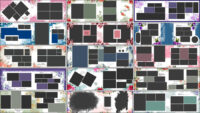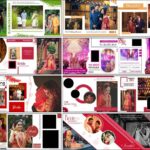
Floral layouts can give a wedding album a soft, decorative look while keeping the couple’s photographs at the centre of the page. This collection brings together 20 Tintone Floral Album Design 12×36 PSD Templates for photographers, album designers, and photo studios. All 20 designs are now available as free downloads, so you can choose the layouts that suit your project and download each file separately.
Each design is supplied as a PSD template that you can open and edit in Photoshop. The 12×36 format is useful for wide wedding album spreads, and the floral theme gives you another option when preparing pages for wedding photographs. You can also browse more wedding album design PSD collections or find other free PSD designs for photo editing on StudioPK.
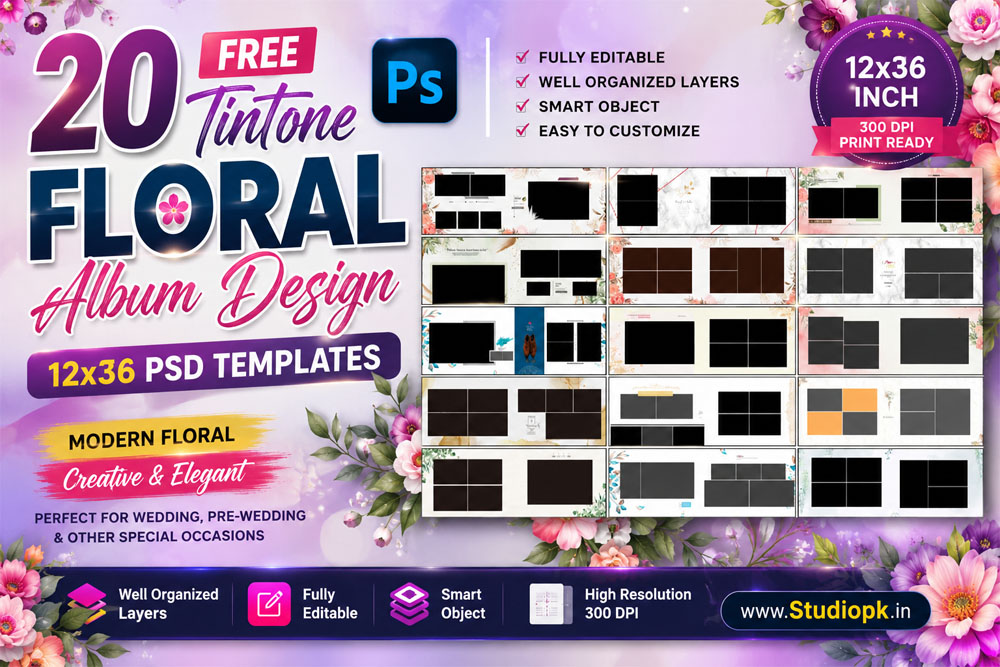
Explore the 20 Tintone Floral Album PSD Designs
This pack contains 20 floral album design PSD files in 12×36 size. The layouts are intended for wedding album projects where you want to arrange couple portraits, ceremony photographs, and family moments in a coordinated style. You can select a spread based on the photographs you have rather than forcing every picture into the same arrangement.
The floral details make these templates a useful choice when a page needs a decorative touch. You can keep the original look or adjust the editable elements to better match the colours and photographs from the event. For more layouts in this format, take a look at the 12×36 wedding album PSD collection.
Template Details
- Total Designs: 20 floral album PSD templates
- Album Size: 12×36
- File Format: PSD
- Editing: Fully editable design elements
- Availability: Free individual downloads
- Suitable For: Wedding album spreads and floral photo album layouts
PSD files give you room to adjust the layout for the photographs in your project. Before sending a finished spread to print, check the document dimensions and resolution in Photoshop and confirm the printer’s safe-area and bleed requirements. If you are also working on the outside of the album, browse these wedding album cover design resources for matching cover ideas.
How to Customize the Tintone Floral Album PSD
Open the downloaded PSD in Photoshop and review its layer structure before replacing or moving anything. A few careful checks can help you prepare a cleaner album spread:
- Open the PSD file: Load the selected design in Adobe Photoshop and make sure all layers appear correctly.
- Place your photographs: Add the couple’s portraits, ceremony pictures, or family photographs to the suitable areas in the layout.
- Adjust the crop: Resize each photo without cutting off faces, hands, jewellery, or other important details.
- Check the centre fold: Keep faces and important text away from the middle where the two album pages meet.
- Match the page colours: Review the photographs and floral elements together so the spread looks balanced.
- Save and prepare for print: Keep an editable PSD copy, then confirm the final size, resolution, safe area, and bleed with your album lab.
Download 20 Tintone Floral Album Design PSD Templates
Below are the previews for all 20 designs. Check each preview and use the download button directly underneath it to get that particular PSD file. Every design has its own numbered download link.


Related Wedding and Floral Album PSD Designs
Need a different floral style or another layout for your next album? These related collections include more wedding album PSD ideas, including floral, western, and general album designs. You can also visit the creative wedding album design collection for more inspiration.
- 20 Floral Wedding Album Design PSD Templates
- 20 Creative Floral Wedding Album Designs in 12×36
- 10 Wedding Album PSD Templates for Indian Photography
- Western Album Design PSD Templates
- 100 Wedding Album Design PSD Templates
- 20 New Tintone Floral PSD Templates in 12×36
Conclusion
These 20 Tintone Floral Album Design 12×36 PSD Templates give wedding photographers and album designers a ready starting point for floral album spreads. Download the designs individually, choose the layouts that suit your photographs, and make the required edits in Photoshop. Check the final pages carefully before printing so the finished album looks balanced and the important moments remain clear.