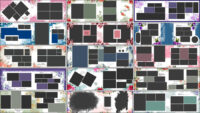
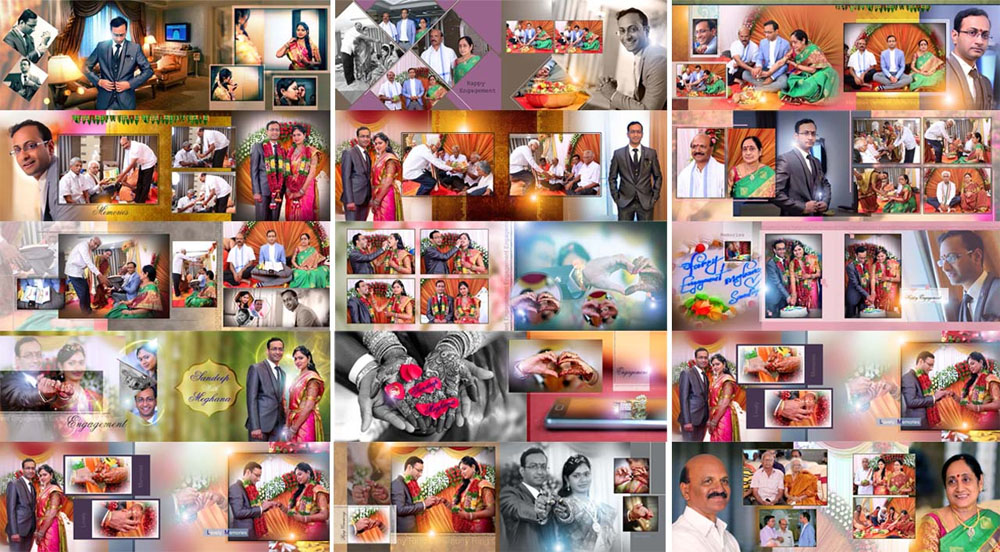
Planning an engagement album is easier when you have a few well-made layouts ready to work with. This collection of 20 Indian Engagement Album Design PSD 12×36 Free Download sheets is for wedding photographers, album designers, and photo studios that want to present engagement photographs in a neat and attractive way. Each design gives you a starting point for arranging the couple’s portraits and special moments without building every page from scratch.
The collection contains 20 engagement photo album PSD sheets with a stated resolution of 200 DPI and editable Photoshop layers. The designs are supplied as separate compressed files, so you can download the sheet you need. For more resources to use in your editing work, browse these free PSD designs for Photoshop projects.
What’s Included in These Indian Engagement Album PSD Designs?
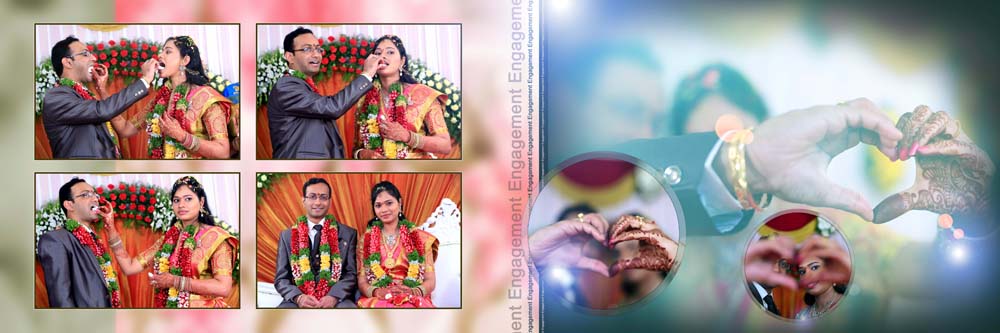
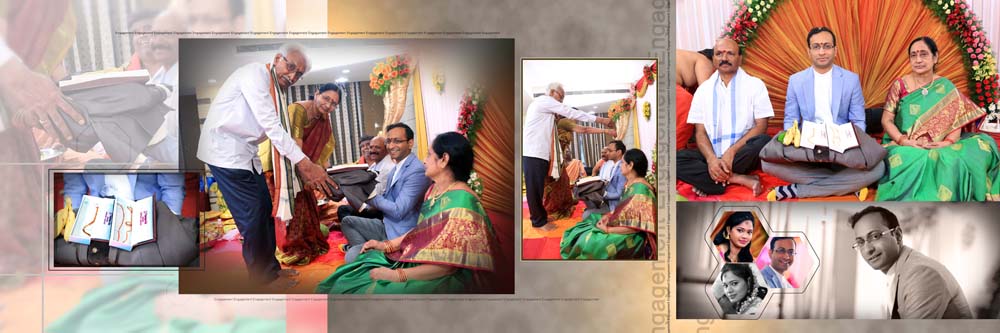
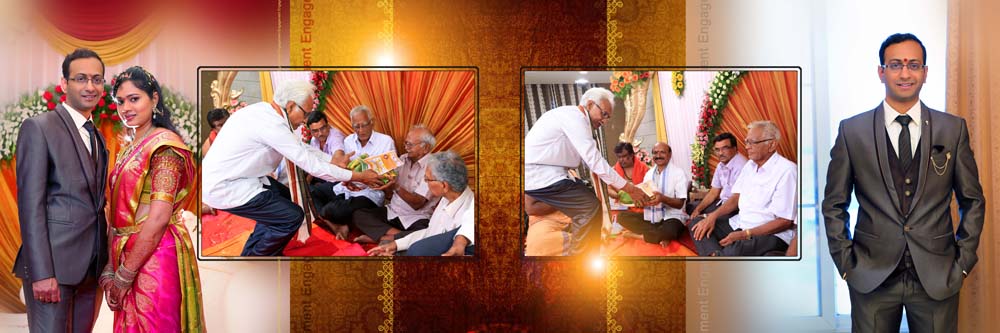
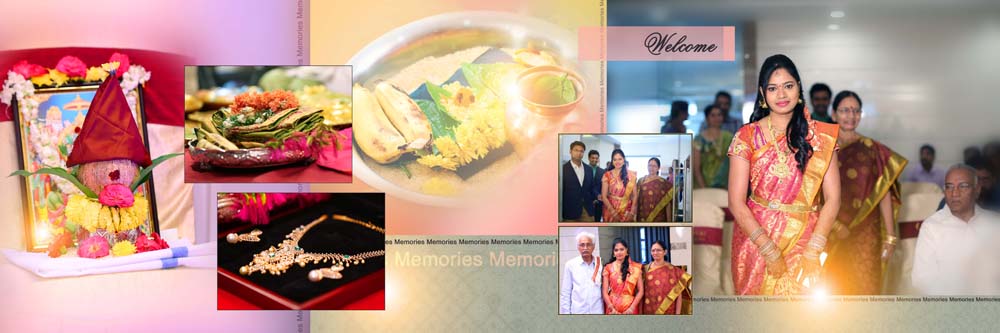
This pack includes 20 different engagement album design sheets in 12×36 format. The wide layout is suitable for arranging photographs across a two-page spread, giving you room to balance couple portraits with other pictures from the engagement ceremony. The PSD format also lets you work with the available layers and make adjustments to fit your chosen photographs.
- Total designs: 20 engagement album PSD sheets
- Design size: 12×36
- File format: PSD
- Resolution stated in the original details: 200 DPI
- Editing: Editable Photoshop layers
- Downloads: Individual compressed files with a password
If you are preparing a full album rather than only engagement pages, you can also explore these wedding album design PSD collections for more layout ideas.
Preview and Download the 20 Engagement Album PSD Sheets
Look through the previews below and select the design that suits your project. Each sheet has its own download button underneath the image. Download the required ZIP file, extract it using the password shown above its button, and open the PSD in Photoshop to begin editing.

Zip File Password: www.Luckystudio4u.com

Zip File Password: www.Luckystudio4u.com

Zip File Password: www.Luckystudio4u.com

Zip File Password: www.Luckystudio4u.com

Zip File Password: www.Luckystudio4u.com

Zip File Password: www.Luckystudio4u.com

Zip File Password: www.Luckystudio4u.com

Zip File Password: www.Luckystudio4u.com

Zip File Password: www.Luckystudio4u.com

Zip File Password: www.Luckystudio4u.com

Zip File Password: www.Luckystudio4u.com
Zip File Password: www.Luckystudio4u.com
Zip File Password: www.Luckystudio4u.com

Zip File Password: www.Luckystudio4u.com
Zip File Password: www.Luckystudio4u.com

Zip File Password: www.Luckystudio4u.com

Zip File Password: www.Luckystudio4u.com

Zip File Password: www.Luckystudio4u.com
Zip File Password: www.Luckystudio4u.com

Zip File Password: www.Luckystudio4u.com
How to Customize the Engagement Album PSD Files
Once you have downloaded a design, you can adjust it to suit the photographs and style of the engagement album. These simple steps can help you prepare each spread:
- Extract the ZIP file: Use the password printed above the download button to open the compressed file and locate the PSD.
- Open the PSD in Photoshop: Open the design and check the layers before making changes.
- Add the couple’s photographs: Place the selected images into the layout and adjust their size and position.
- Check the crop: Keep faces, outfits, jewellery, and other important details visible. Avoid cutting off parts of the couple’s faces or hands.
- Balance the spread: Keep the layout tidy and avoid squeezing too many photos into one page. Make sure the main portrait stands out.
- Review the centre fold: Keep faces and important details away from the fold in the middle of the 12×36 spread.
- Save a working copy: Save your edited version as a PSD so you can make further changes if needed.
- Check before printing: Confirm the final dimensions and safe-area requirements with your album lab before sending the pages for print.
For a coordinated album project, you may also want to browse these 12×36 album PSD templates or look through these wedding album cover design resources for suitable cover ideas.
Conclusion
These 20 Indian Engagement Album Design PSD 12×36 templates offer photographers and album designers a practical starting point for engagement photo albums. The individual downloads make it easy to choose the sheets you need, while the editable Photoshop layers let you adjust each layout to match the couple’s photographs. Pick the designs that fit your images, check every page carefully, and prepare a clean album spread that keeps the engagement memories in focus.